customers · FPS guide · Citi
how to pay by FPS on the Citibank app
Paying a divit merchant from Citibank by FPS (Hong Kong’s Faster Payment System, 轉數快) takes seconds and is free. Three ways to do it — scan the QR code, import a saved QR code, or pay by divit’s FPS ID. Here’s each one, step by step.
- free for you: the merchant pays the fee, not you
- no card needed: you pay straight from your Citibank account
- divit’s FPS ID is 162638308: if you pay by FPS ID instead of QR code
- include the 6-character code from your order when paying by FPS ID; without it your order may not be confirmed instantly
step by step
paying divit from the Citibank app
Pick whichever suits how you’re paying — scanning at a counter, paying an online order with a saved QR, or entering divit’s FPS ID by hand.
scan the QR code
-
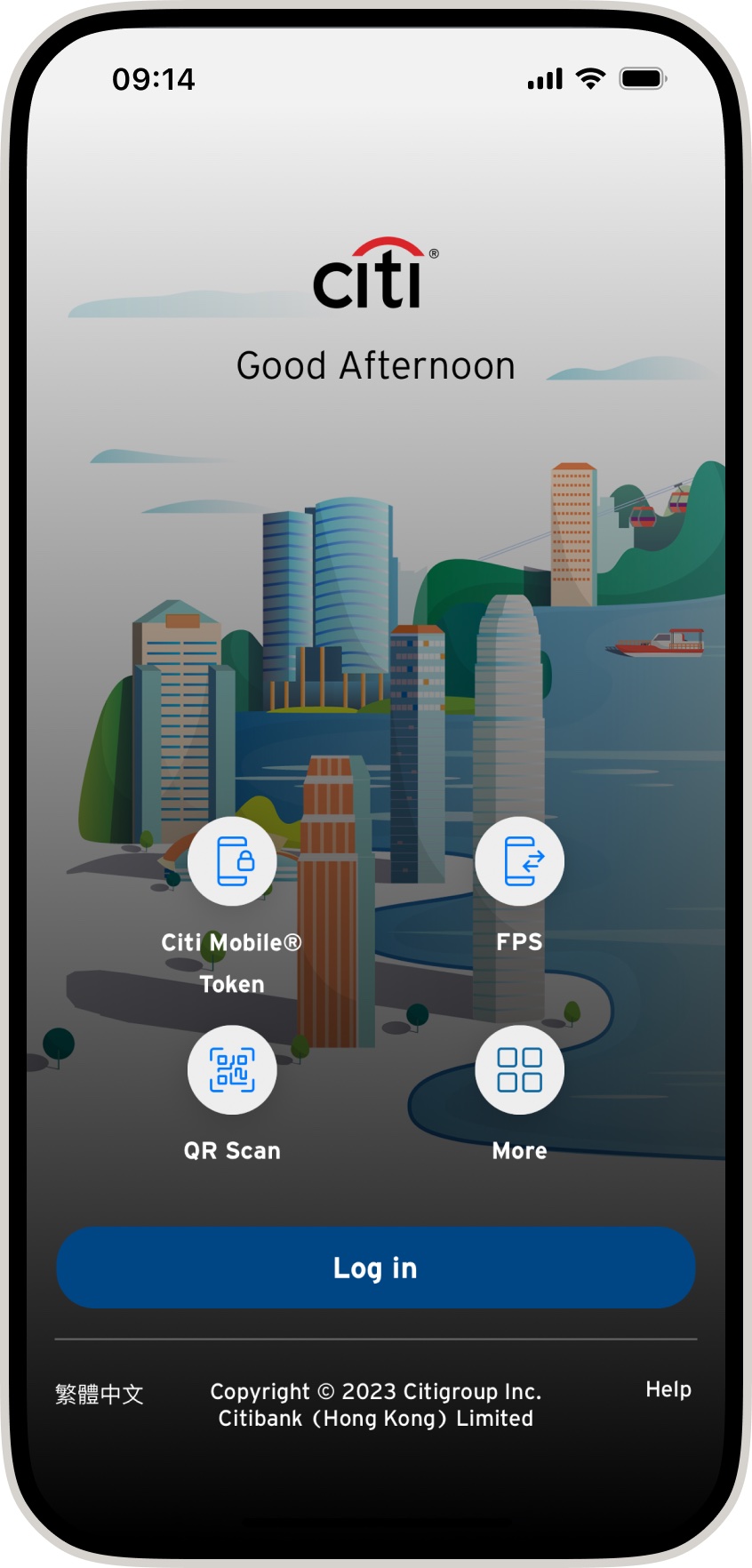
01 · open FPS. On the Citibank app welcome screen, tap FPS to start a payment.
-
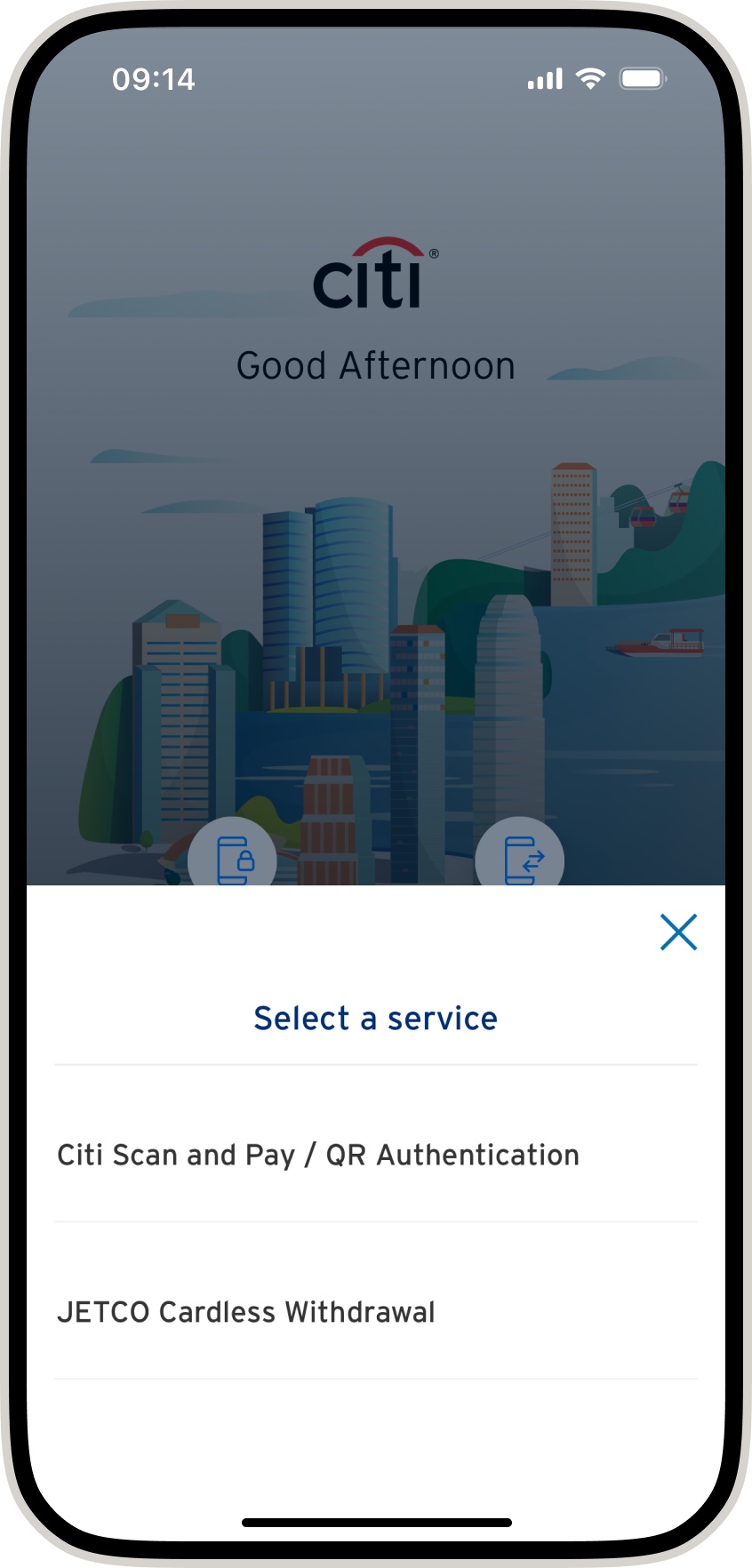
02 · choose scan and pay. Select scan and pay / QR authentication.
-
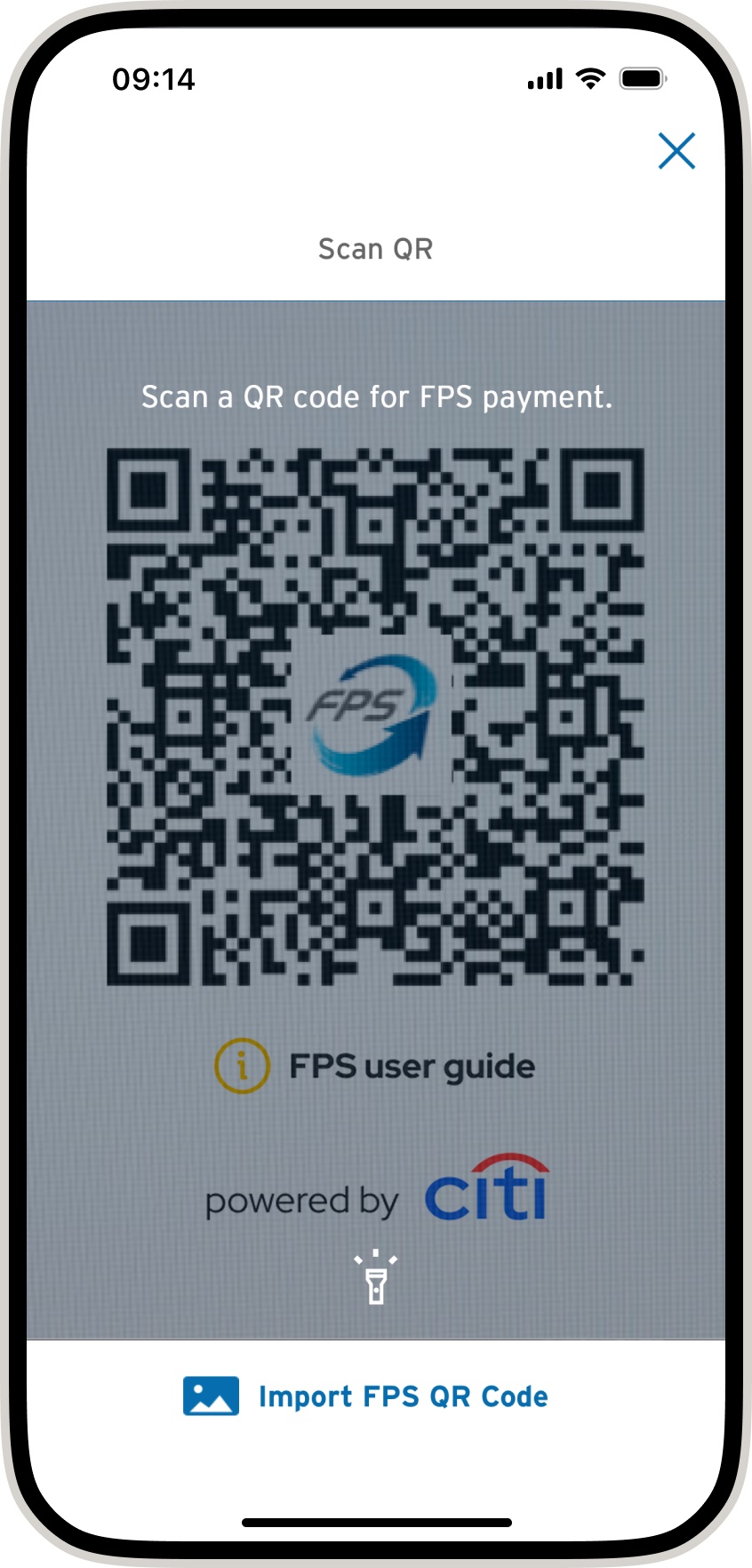
03 · scan the QR code. Point your camera at the divit FPS QR code to scan it.
-
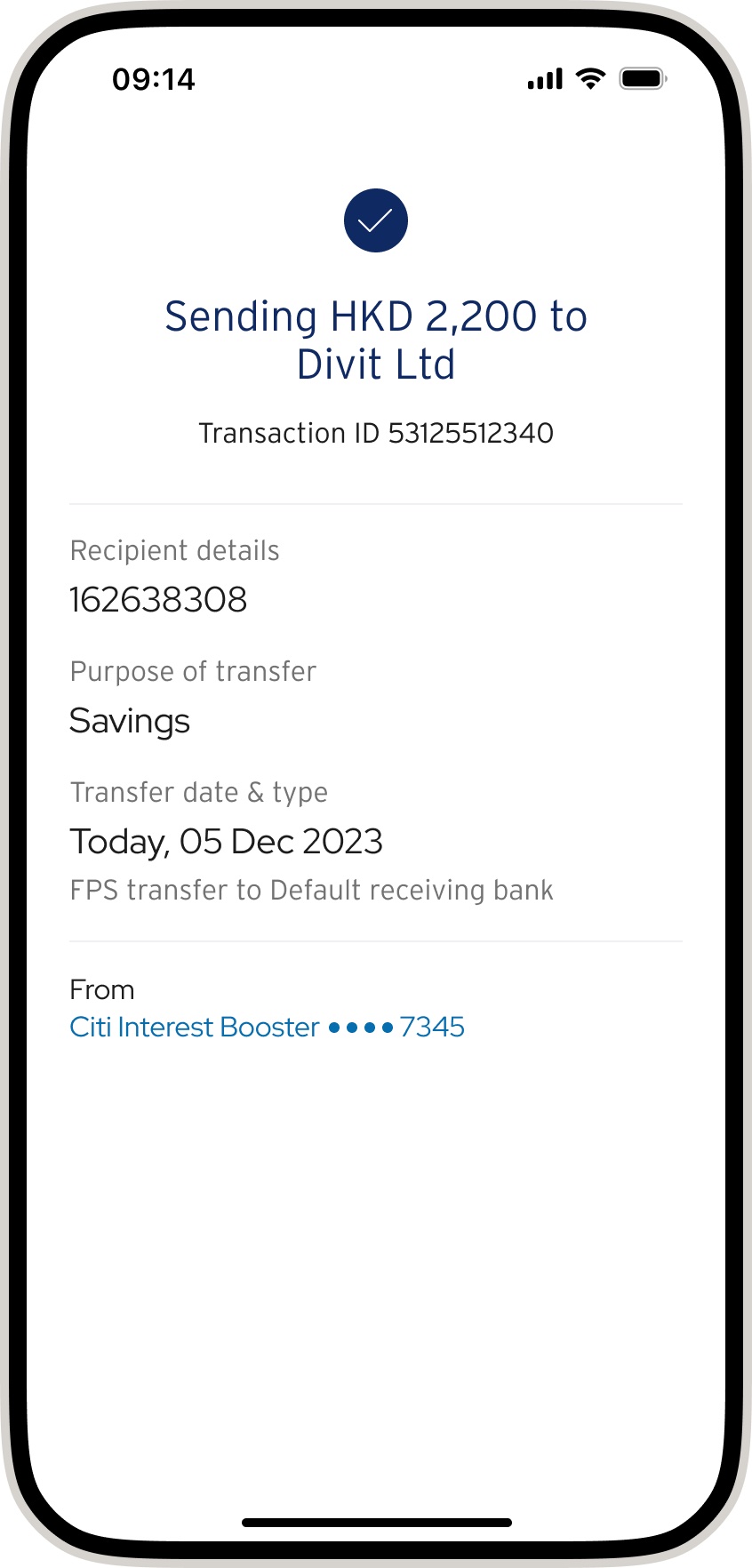
04 · done. Your transfer is complete — you’ll get a confirmation by SMS and email.
import a saved QR code
-
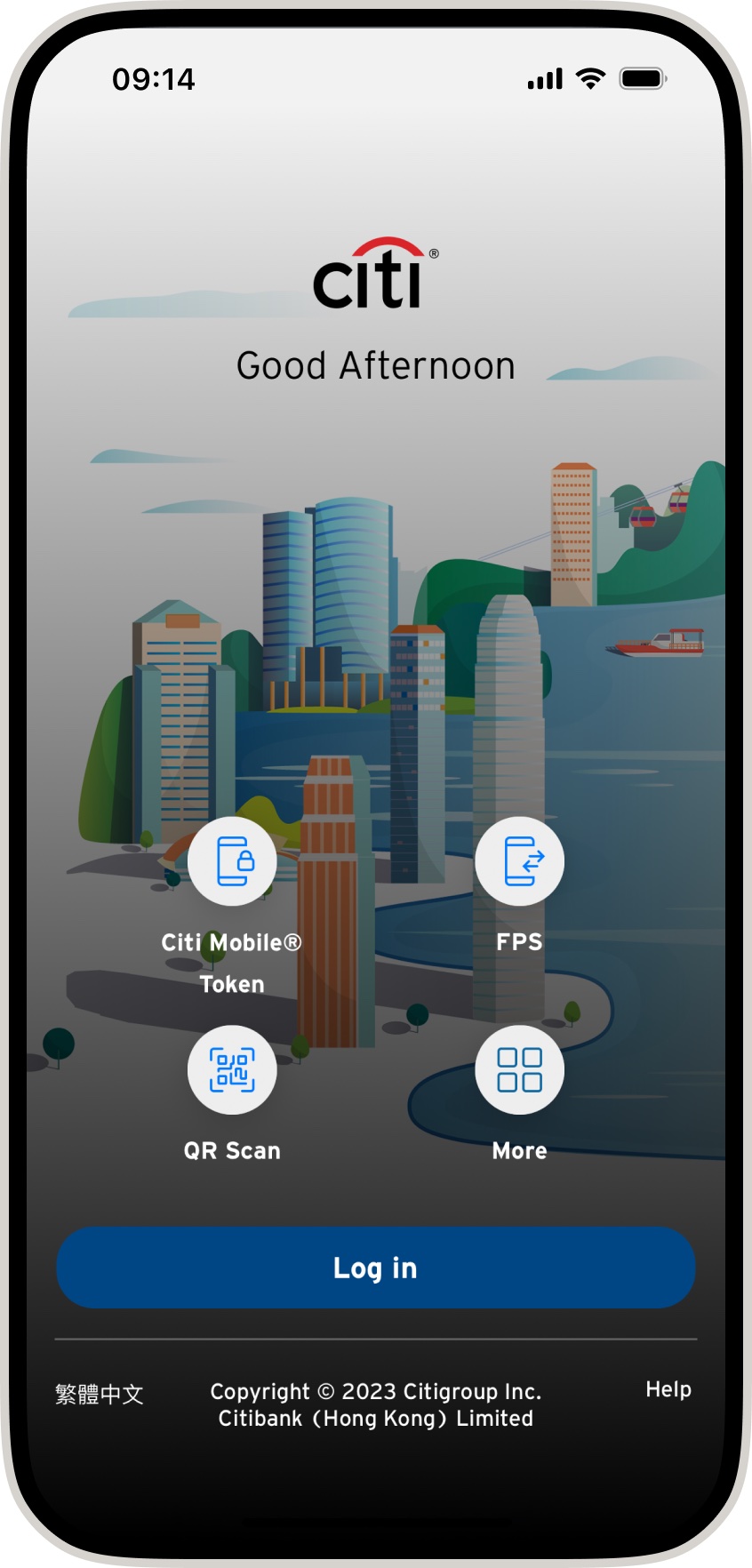
01 · open QR scan. Tap QR scan on the Citibank welcome screen.
-
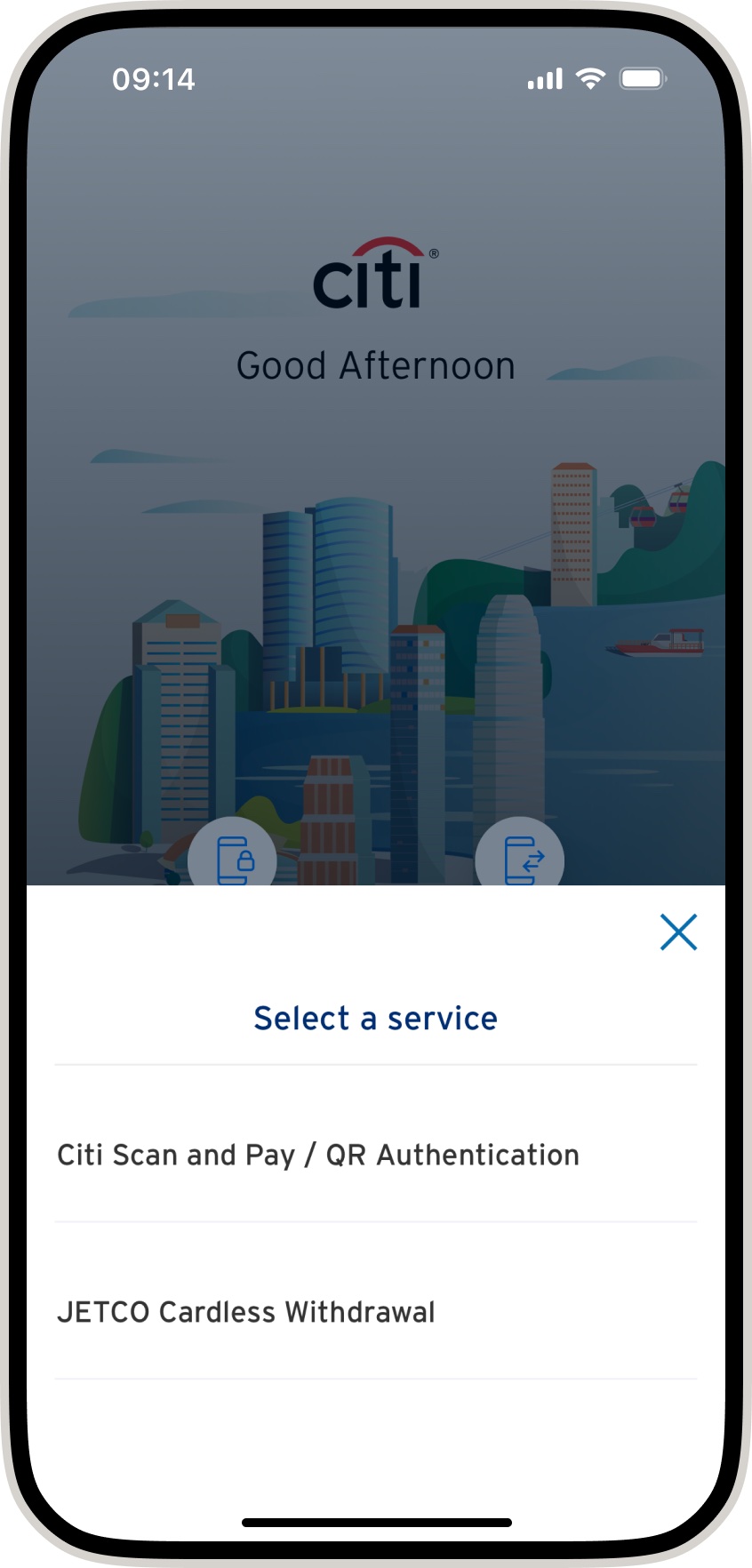
02 · choose scan and pay. Select Citi scan and pay / QR authentication.
-
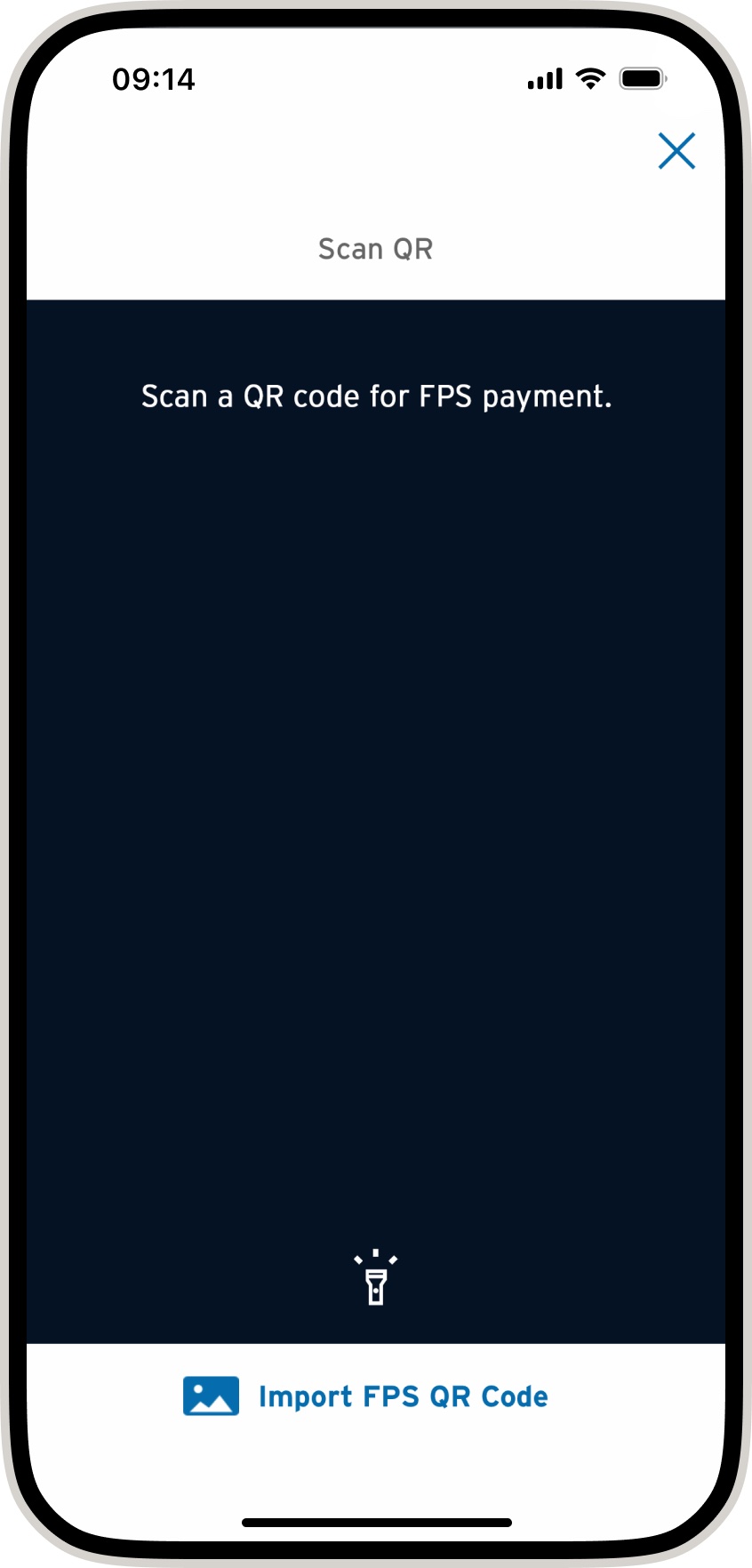
03 · import the saved QR. Tap import FPS QR code and choose the saved divit QR code from your photo album.
-
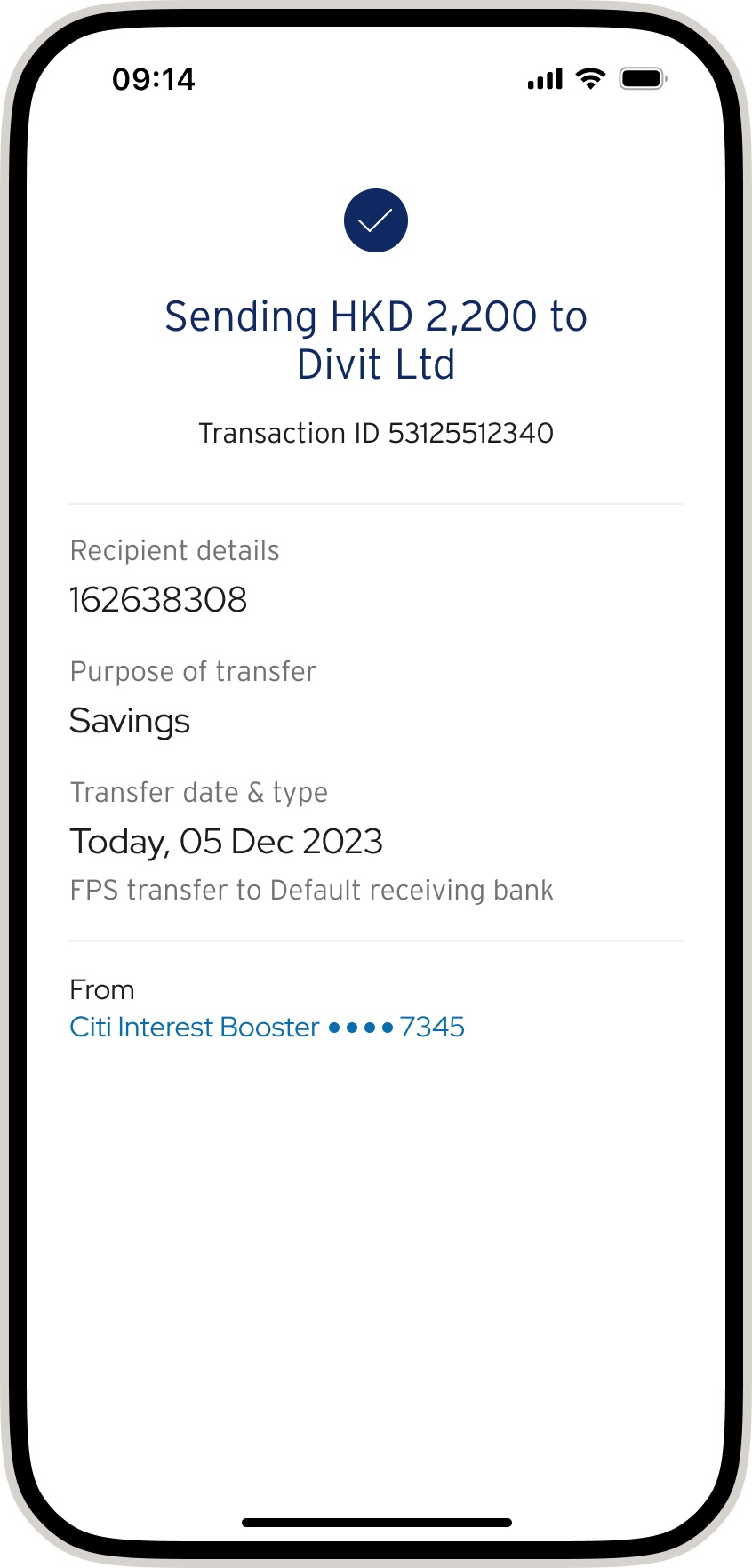
04 · done. Your transfer is complete — confirmation follows by SMS and email.
pay by FPS ID
-
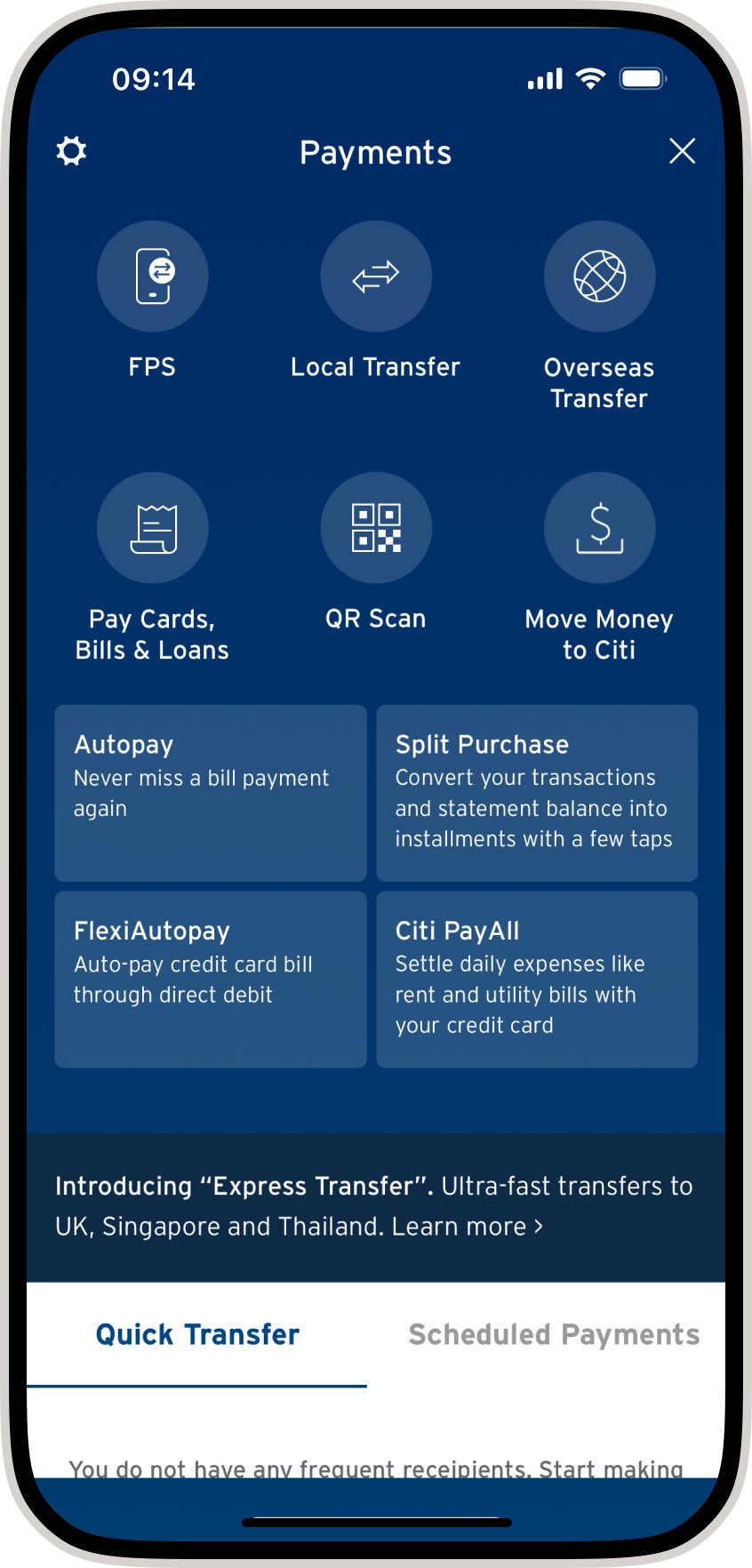
01 · select FPS. In the Citibank app, choose FPS.
-
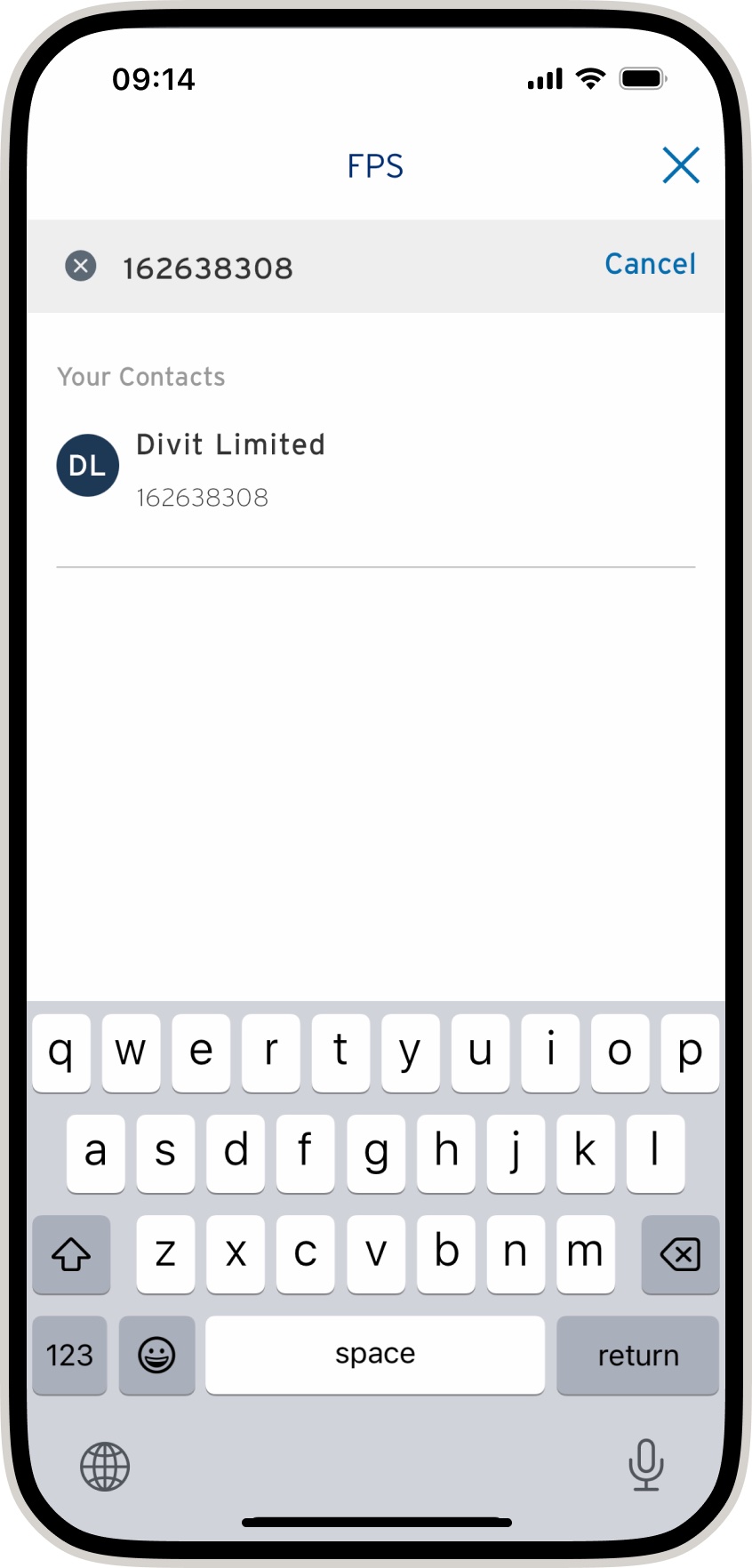
02 · enter divit’s FPS ID. Enter 162638308 and tap DIVIT LIMITED — your confirmation you have the right payee.
-
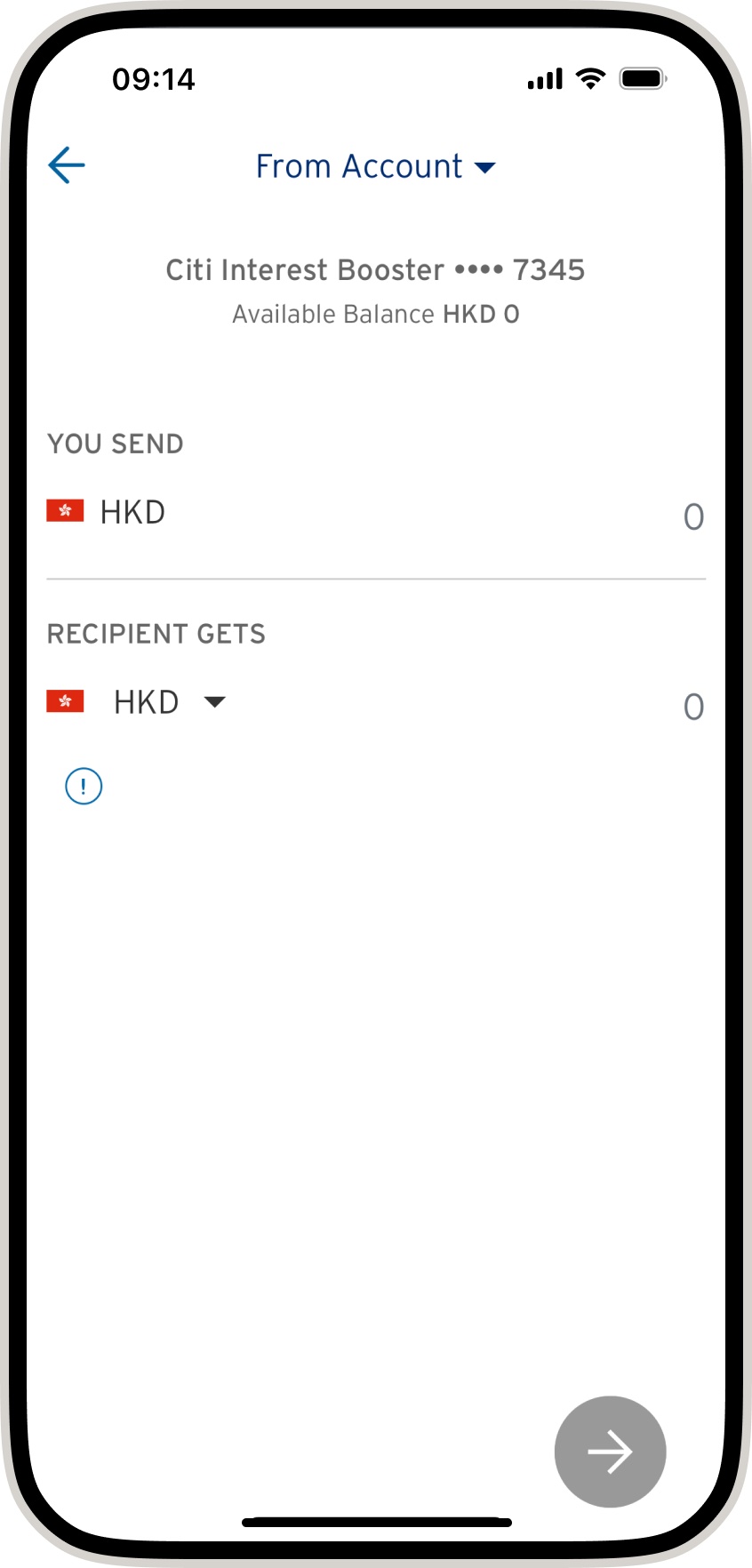
03 · amount + order code. Enter the amount and add the 6-character code from your order — without it your order may not be confirmed instantly.
-
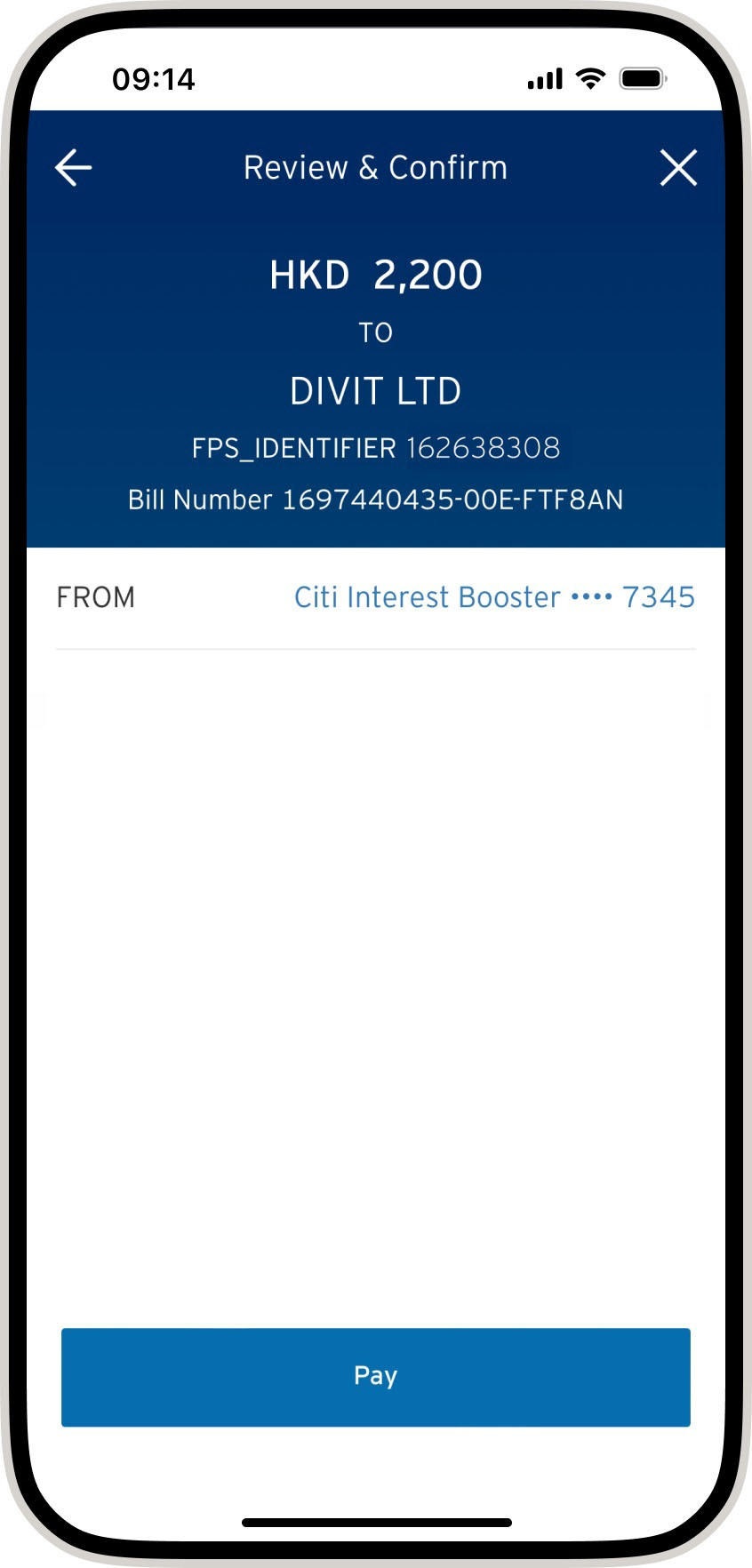
04 · verify and pay. Check the payment details and tap pay.
-
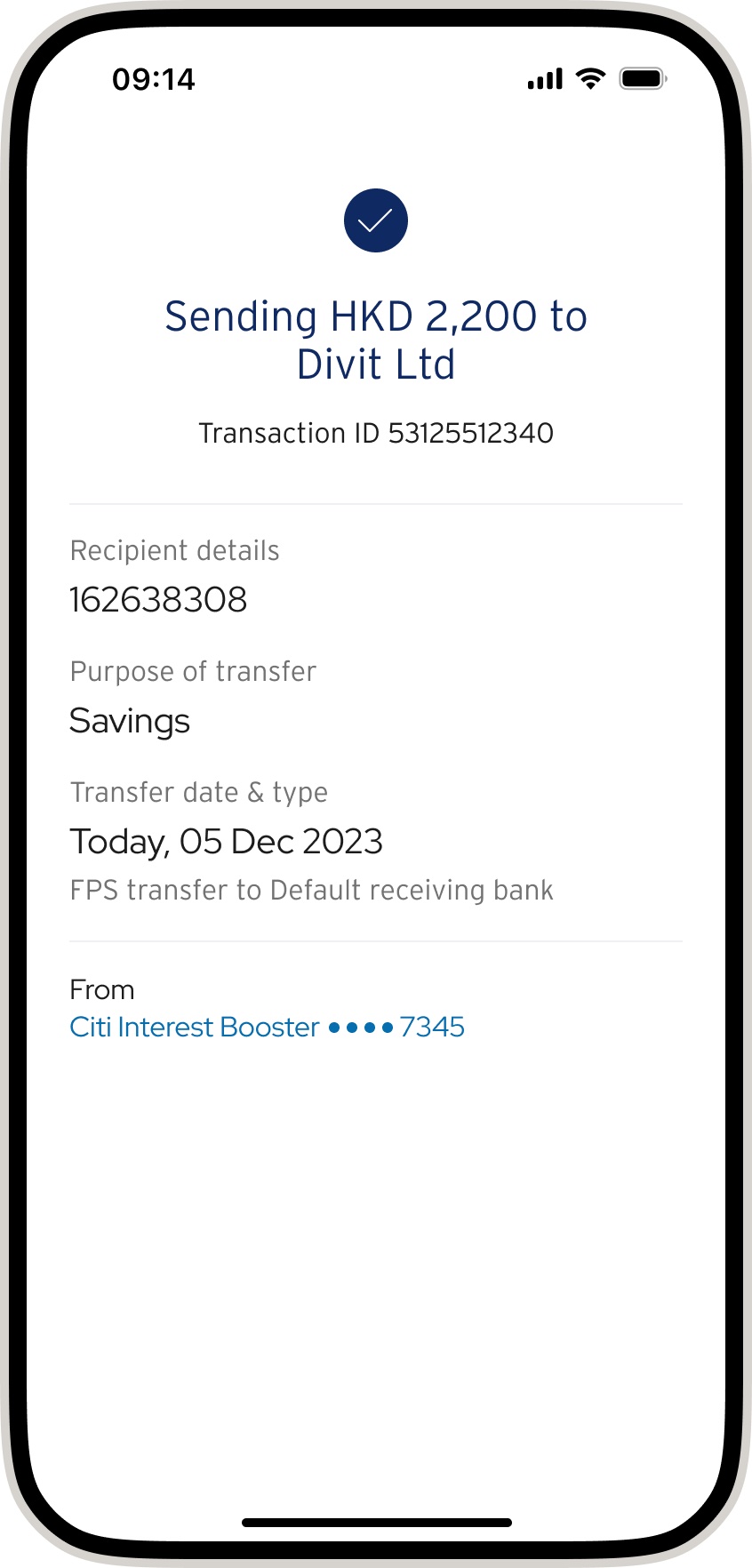
05 · done. Your transfer is complete — confirmation by SMS and email. Without the 6-character code your order might not be confirmed instantly.
Screens are from Citibank’s app and may have changed since these were captured — treat them as the shape of the journey, not a pixel-exact guide.
not with Citi?
guides for other banks
The same three methods work on every major Hong Kong bank. Pick yours:
HSBC Bank of China Hang Seng Standard Chartered all banks & the basics
still stuck?
we’re happy to help
check the FAQ or get in touch with the divit support team